Log the dish once, split it at the table, and let each person save their own portion. The screenshots and sending steps below show the iPhone app.
Split the dish
- Log the whole dish using a photo, barcode, nutrition label, or text.
- Open the meal and tap Split dish.
- Use − and + to set how many people shared it, including yourself.
- Adjust Your share. It starts at an even split: 50% for two people, 25% for four. Move the slider if you ate more or less.
- Choose Just split to apply your portion, or Split & send to apply it and prepare a link for the other diners. Sharing requires you to be signed in.
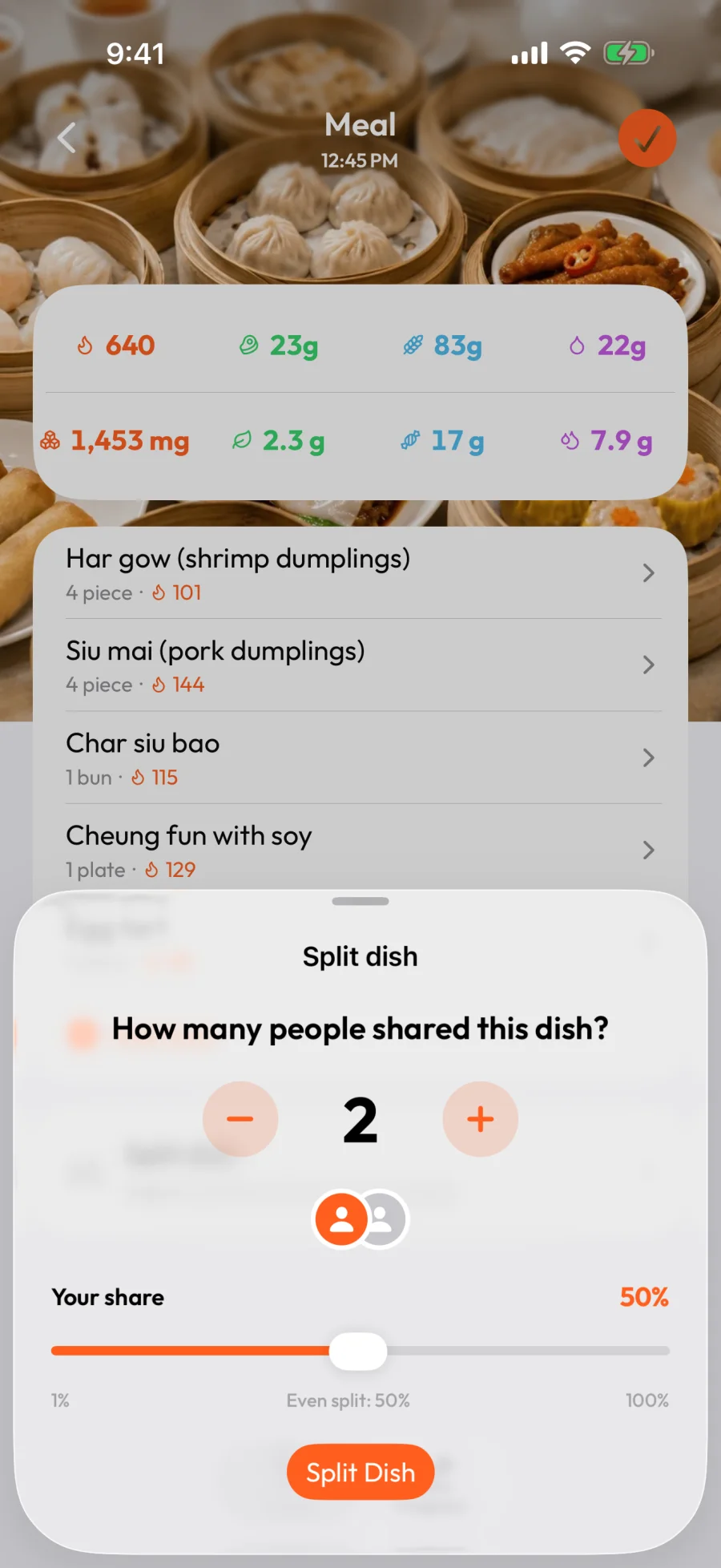
For the 640-calorie dim sum spread above, an even split between four people gives you 160 calories. Protein, carbs, and fat scale with your share too. If you ate 40%, your log gets 256 calories instead.
If you ate different amounts of individual foods, split the dish first, then adjust each item's portion.
Send the others their share
- Choose Split & send after setting the number of diners and your share.
- Review the meal preview and add an optional note.
- Choose a messaging app, or More for other sharing options.
- Send the meal link to the other diners.
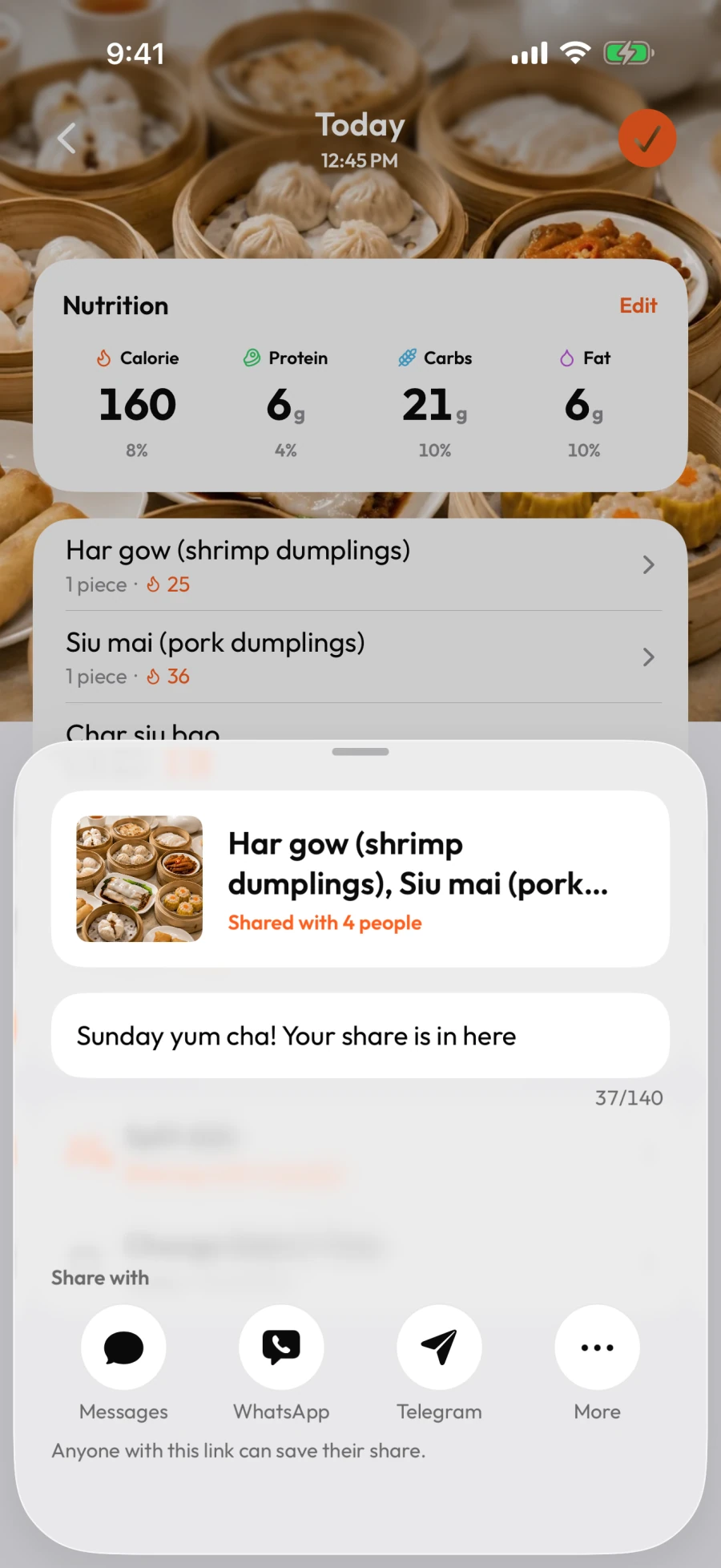
The link contains one other diner's share. If you keep 25% of a dish shared by four people, each other diner's starting portion is 25%. If you keep 40%, the remaining 60% is divided equally among the other three, so each starts at 20%.
Anyone with the link can open the shared meal, including its photo, nutrition, and the note you add here. Share it with people you intend to receive it.
Save a meal someone sent you
- Open the meal link your friend sent. Sign in if prompted.
- Review the photo and nutrition in the received-meal preview.
- Use Split dish to adjust your portion if needed.
- Check Change Date & Time so the meal lands on the right day in your log.
- Tap Save to add your own copy. Choose Discard if you do not want to keep it.
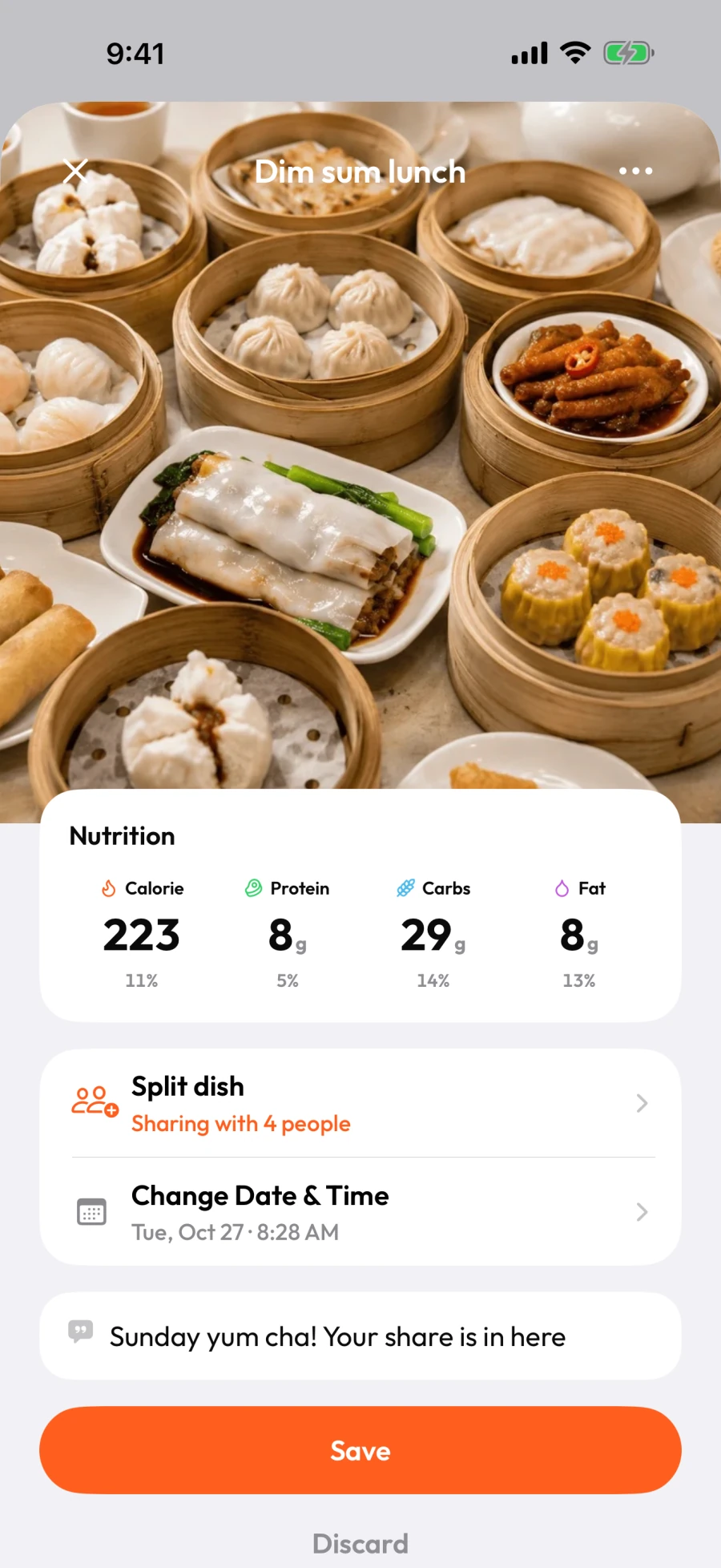
Saving your copy does not change the sender's log. You can edit your meal later like any other logged meal.
Find a shared meal again
After you have opened a friend's link in the app, tap the inbox button at the top right of Today to open Shared meals.
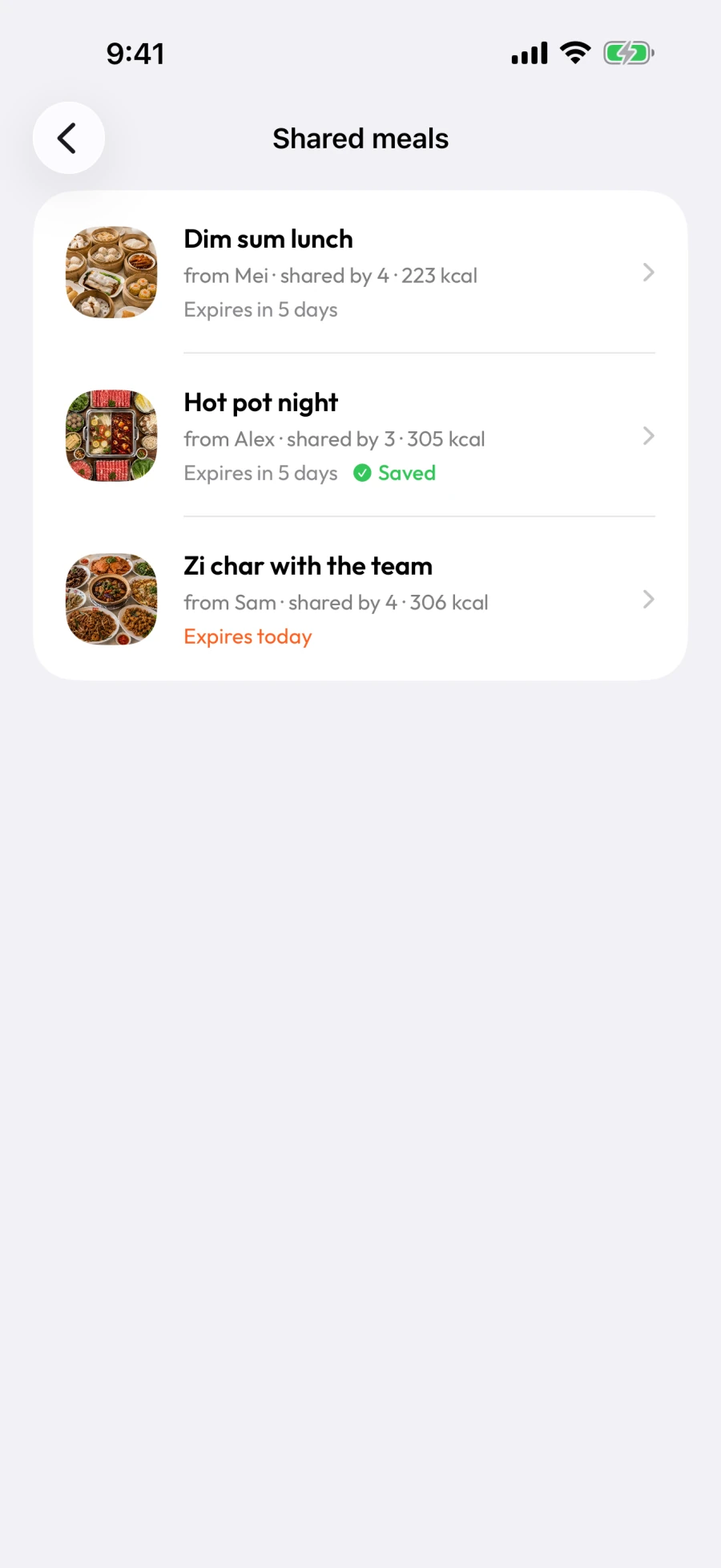
The list shows who sent each meal, its calories, and when the link expires. Meals you have saved show Saved. Tap a row to open it again.
Link expiry affects access to the share. A meal you have already saved stays in your local log. If a link has expired or the sender removed it, ask them to send a fresh one.
If something is missing
- No Split & send: sign in, set at least two diners, and leave a portion for the others. Update the app if you are using an older version.
- Your messaging app is not listed: choose More to use the system share sheet.
- The shared meal will not load: check your connection, then choose Try again. An unavailable link may have expired or been removed.
- Android shows a sharing availability message: choose Open in browser to view the link.
For other problems, see Common issues and fixes.